A logbook that does
the paperwork.
Night time from the actual sunset at your arrival airport. Currency rules you can write yourself. A PDF logbook your instructor can sign, page by page. Here is everything NinerLog does — take your time.
Your logbook runs while you fly
Open Quick Log on your phone, pick your aircraft, and tap once at each milestone — off block, takeoff, landing, on block. The moment you go on blocks, those taps become a complete entry: block times, total time, route, all filled in. No watch-glancing, no kneeboard scribbles to decipher later.
- One tap per event. Off-block, takeoff, landing and on-block, captured the second they happen
- The flight logs itself. Going on blocks writes the entry — review it, add landings, crew or remarks, done
- GPS airport detection. Grant location access and your departure and arrival airports fill themselves in
- Works offline. No signal at the airfield? Taps are saved on your device and sync when you’re back
- Add aircraft on the spot. Flying something new? Quick-add its registration and type without leaving the screen
The columns nobody enjoys filling in
A paper logbook makes you work out night time, cross-country and distance yourself, then hope you got it right. NinerLog derives them from what you already entered — and you can always override any of it.
Night time, properly
Worked out from your actual off-block and on-block times against real sunset and sunrise at your departure and arrival airports — not a guess, and not the whole flight rounded to night.
Day and night landings
Split automatically from the time of arrival, along with day and night takeoffs. Override either when the sky disagrees with the almanac.
Cross-country and distance
Cross-country time when departure and arrival differ; great-circle distance in nautical miles from the airport coordinates.
Roles, from the crew list
PIC, dual, solo, SIC, dual given and multi-pilot time all follow from who was on board and in which seat — you tick the role, not the stopwatch.
Simulator sessions kept apart New
An FSTD session records its own duration and FSTD type (FNPT II, FFS, BATD…) and is never summed into flight time, exactly as AMC1 FCL.050 requires.
Legs where you were a passenger New
Riding along rather than crewing? The row keeps the route and block times as the record of the trip and counts toward no total, statistic or currency.
IFR, done in detail
Actual and simulated instrument time, holds, and each approach recorded with its type, airport and runway — the structure FAA §61.51(g)(3) asks for.
Fields with no ICAO code New
Landing on a farm strip, a glacier, or a field that never got a code? Type the place name. It stays as written and the flight still counts.
And it can do it all again
Fixed an aircraft’s class, or corrected an airport years after the fact? One recalculation pass re-derives the computed fields across your whole logbook.
One box, every field
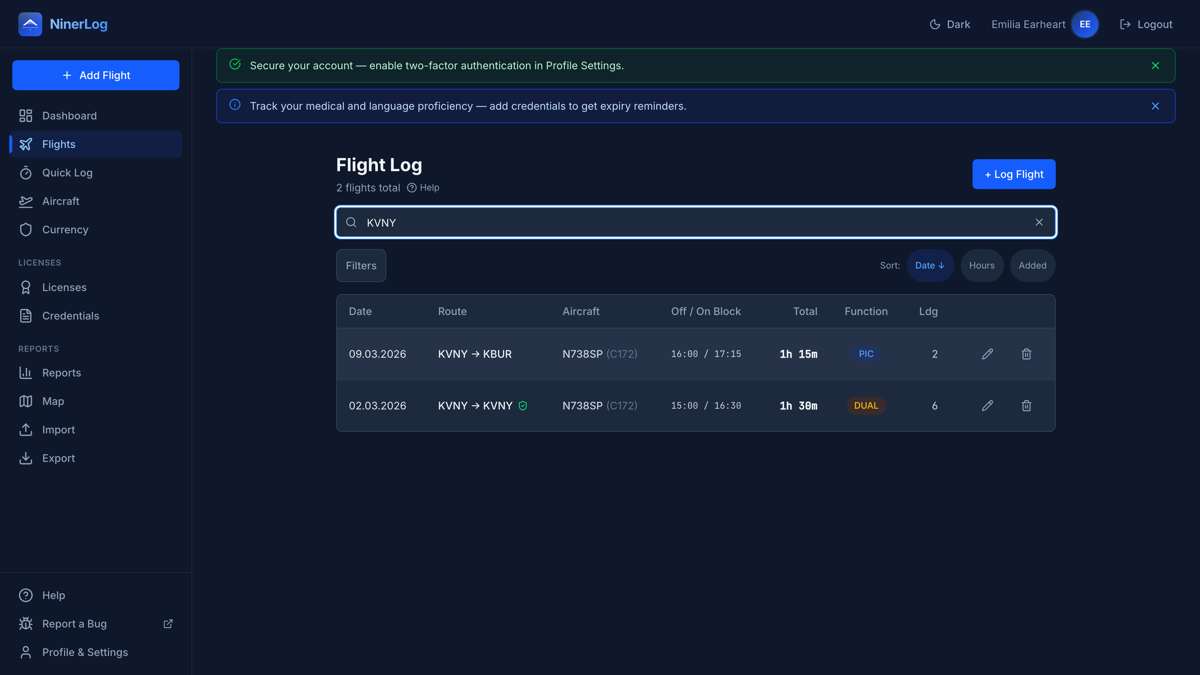
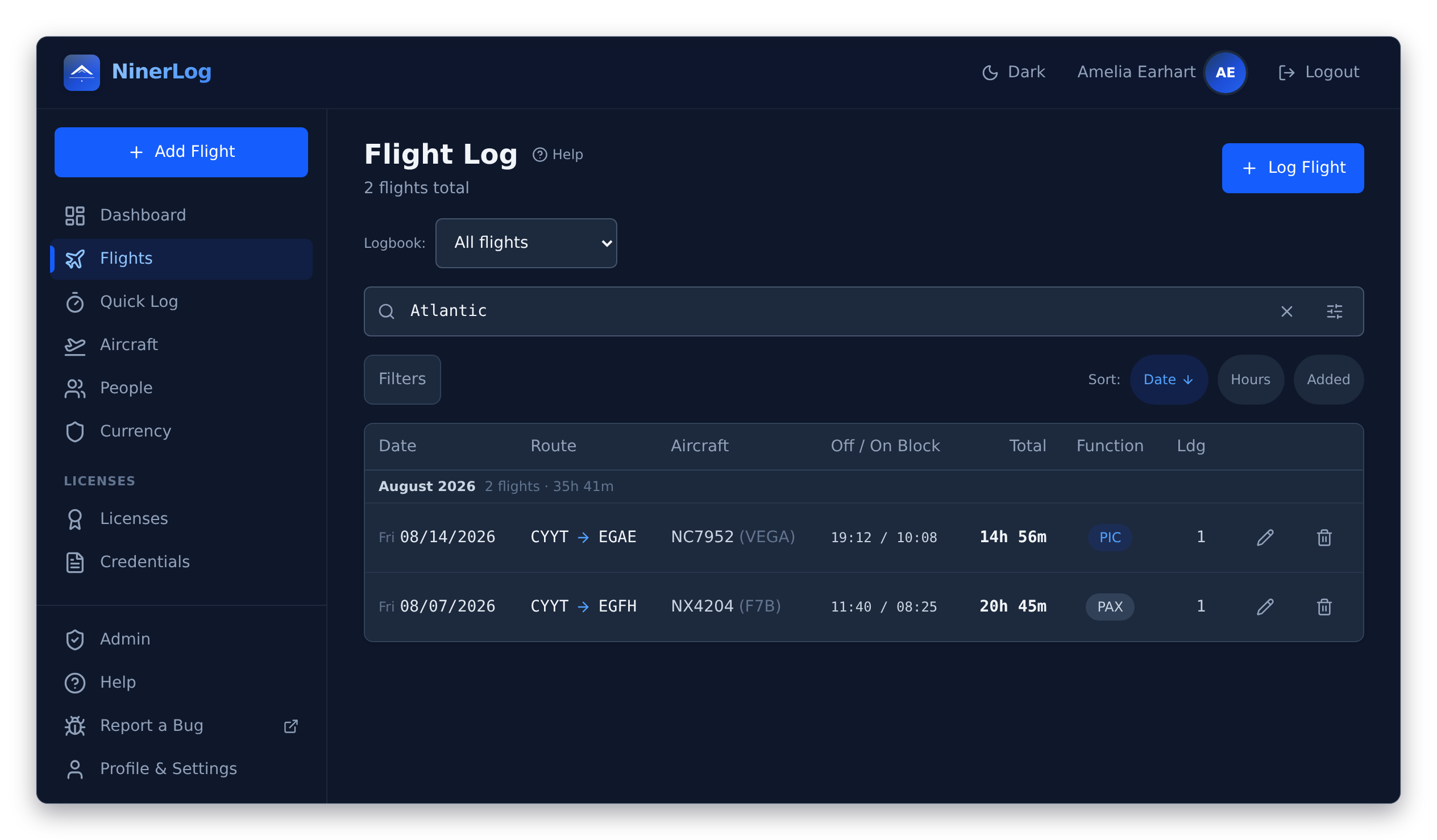
A logbook is only as good as your ability to find things in it. Type a registration, an aircraft type, an airport code, or a word you wrote in the remarks — there is no field to pick first, and partial matches count, so “EDD” finds every big German airport you have ever visited.
- Stack filters on top. Date range, registration, departure or arrival airport, and pilot function — PIC only, dual only
- Your whole logbook. Search runs across every flight you have ever logged, however many thousands that is
- Filters that stay put. Open a flight, come back, and your search and filters are exactly where you left them New
- Your columns, your list. The list always shows date, route, aircraft and total time; everything else is yours to pick — or let it reveal more columns as the window gets wider New
- Airports by name. Flights show Frankfurt am Main, not just EDDF, resolved from a merged database of over 29,000 airports New
Never guess whether you are current
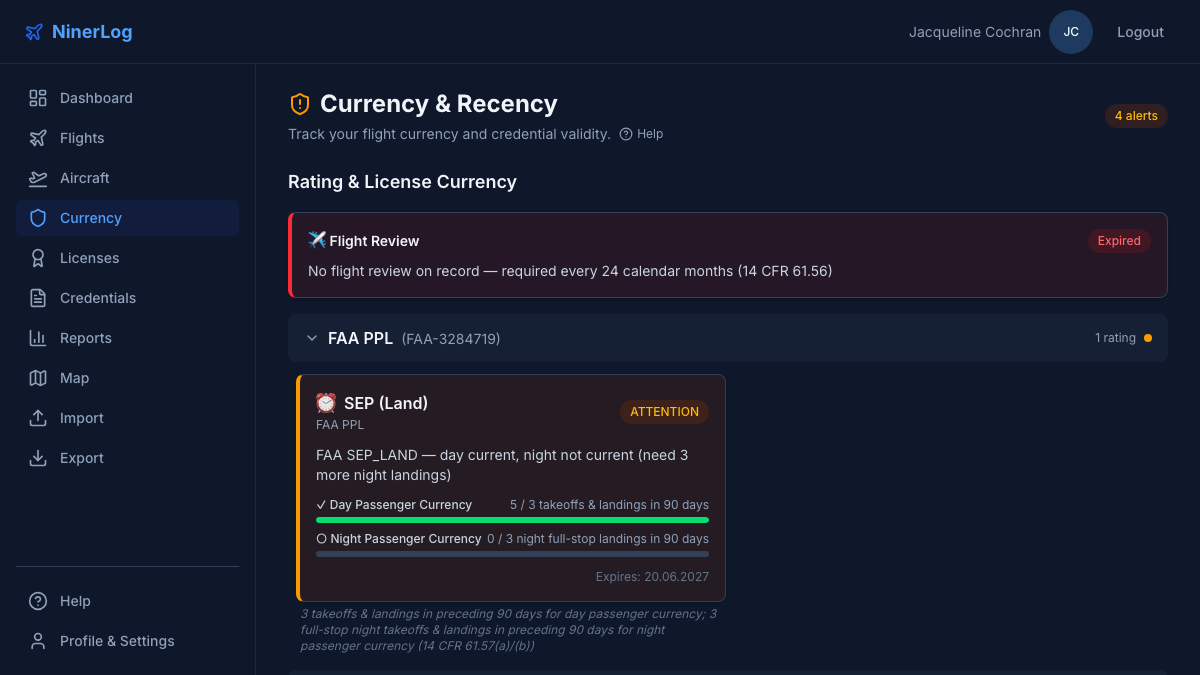
NinerLog evaluates your flights against the rules of whichever authority issued the licence, and tells you the date your currency runs out rather than making you count backwards from today.
- EASA revalidation by experience (FCL.740) and passenger currency
- FAA 90-day passenger currency (14 CFR 61.57), night currency, and the flight review (61.56)
- Instrument currency with approach and hold counting, and IPC tracking
- 90-day recency, per model and per registration. Three takeoffs and landings in the last 90 days, tracked by type the way FCL.060(b) defines it — and optionally per tail number as a familiarity aid New
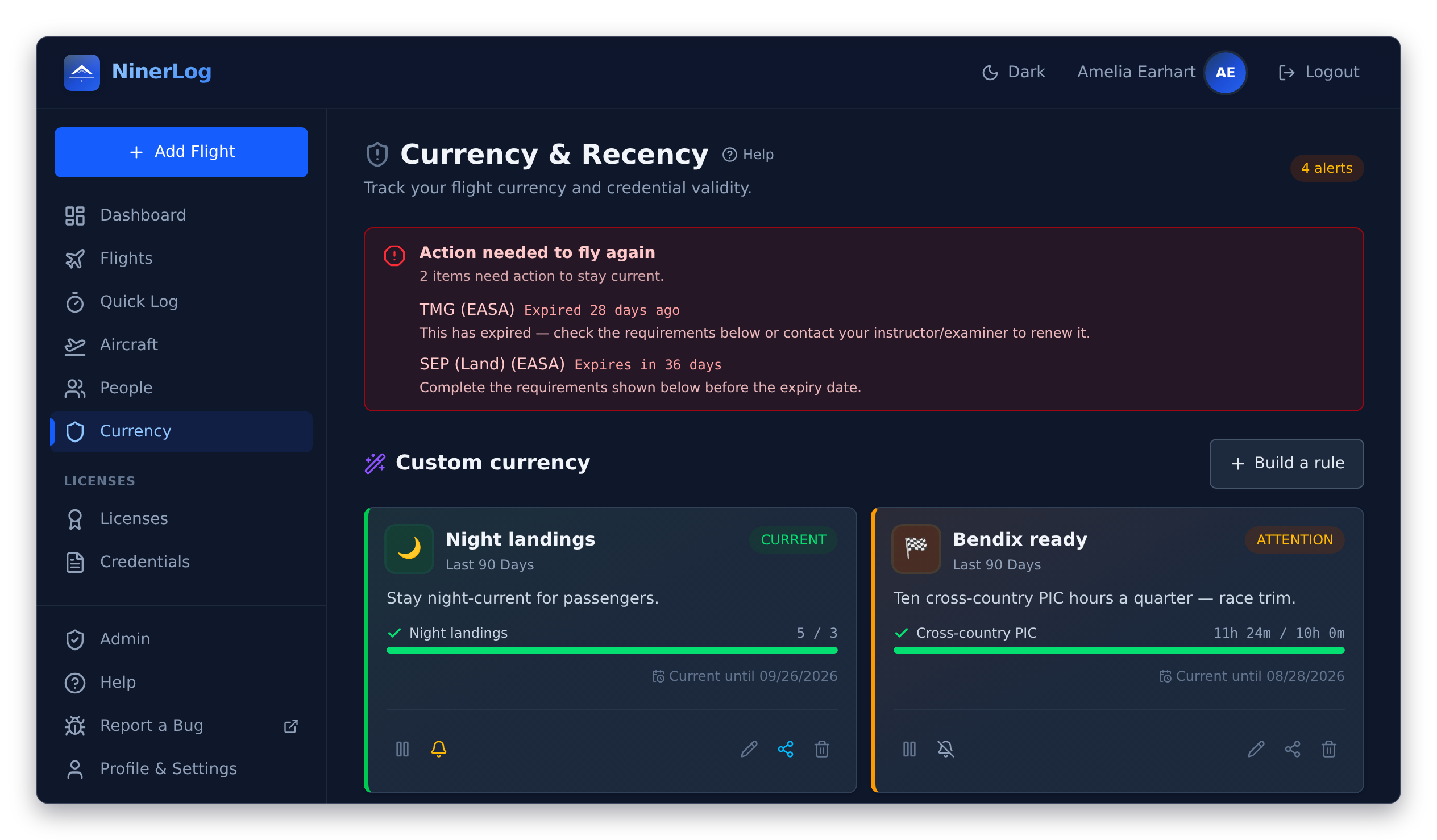
- Told before it bites. An expiry banner on the dashboard with the next step spelled out, and email reminders at 30, 14 and 7 days — or whichever days you choose New
Currency rules nobody else ships
Your club wants five landings a quarter. Your insurer wants ten hours on type a year. Your own personal minimum is a night landing every other month. None of that is in any regulation, so no logbook has a card for it — until you build one.
A rule is three things: how far back to look, which flights count, and what you need. Drag it together in the block editor or write the YAML directly — the two are the same rule, and you can switch between them mid-edit.
- Twenty-five metrics. Flights, landings and takeoffs (day or night), approaches, holds, and time as PIC, dual, night, IFR or cross-country
- Filter down to what counts. By aircraft class, type or registration, by complex, high-performance or tailwheel, by PIC or dual, night, IFR or cross-country
- Preview against your real logbook. See whether the rule you just wrote says you are current — before you save it
- A card like any other. Sits on your currency page with its own emoji and its own “current until” date; pause it and it fades and sinks rather than disappearing
- Reminders per rule. Ring the bell on the ones worth an email; leave the rest quiet
- Share it with a link. Publish a rule, send the link to your club, and every member imports it in one click. Turn sharing off and the link dies
# Give your rule a name and an emoji.
name: Night landings
emoji: "🌙"
description: Stay night-current for passengers.

# How far back to look.
window:
  amount: 90
  unit: days

# Which flights count.
filters:
  - field: has_night
    op: is_true

# What you need to stay current.
requirements:
  - metric: night_landings
    min: 3
    label: Night landings
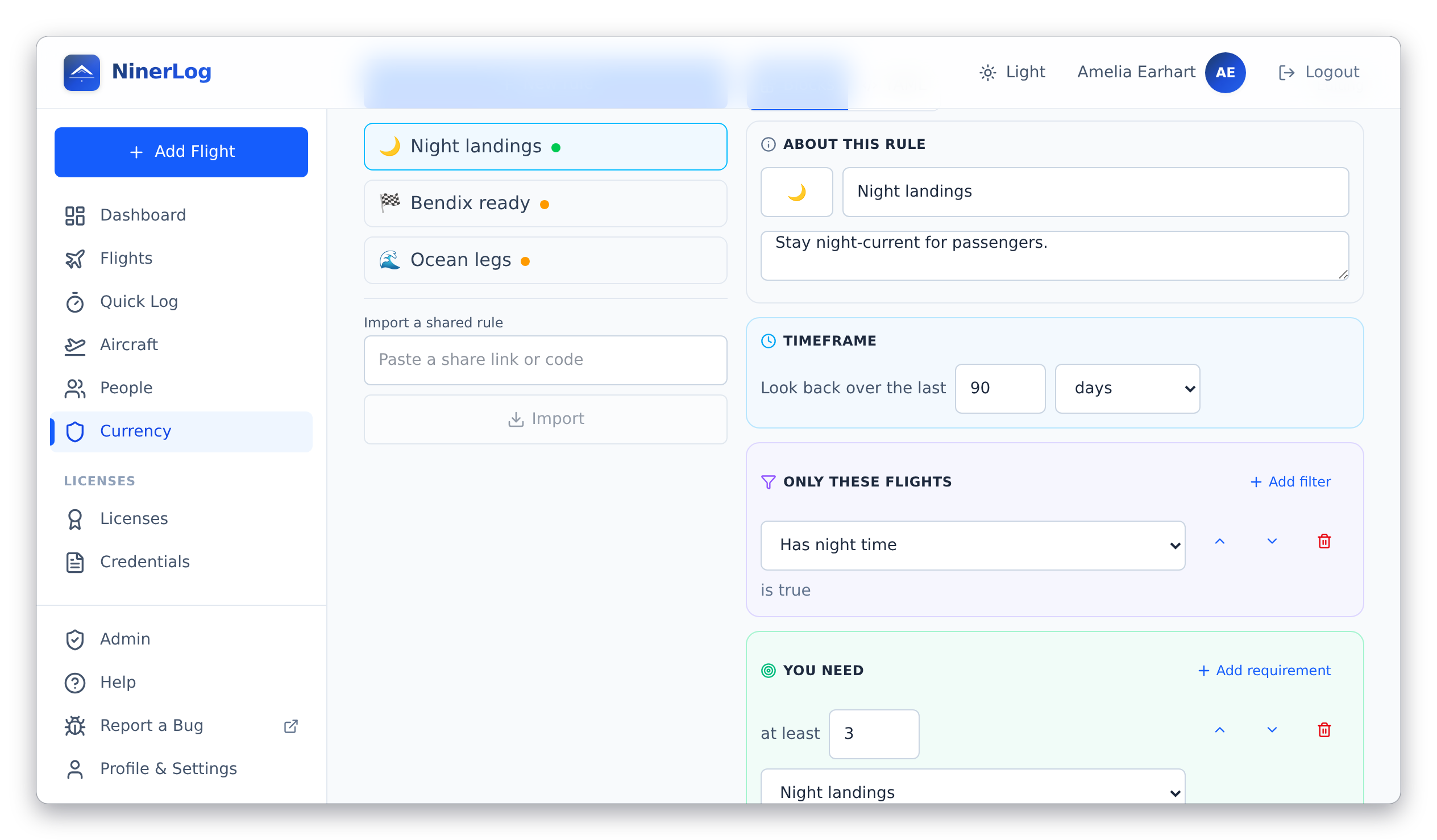
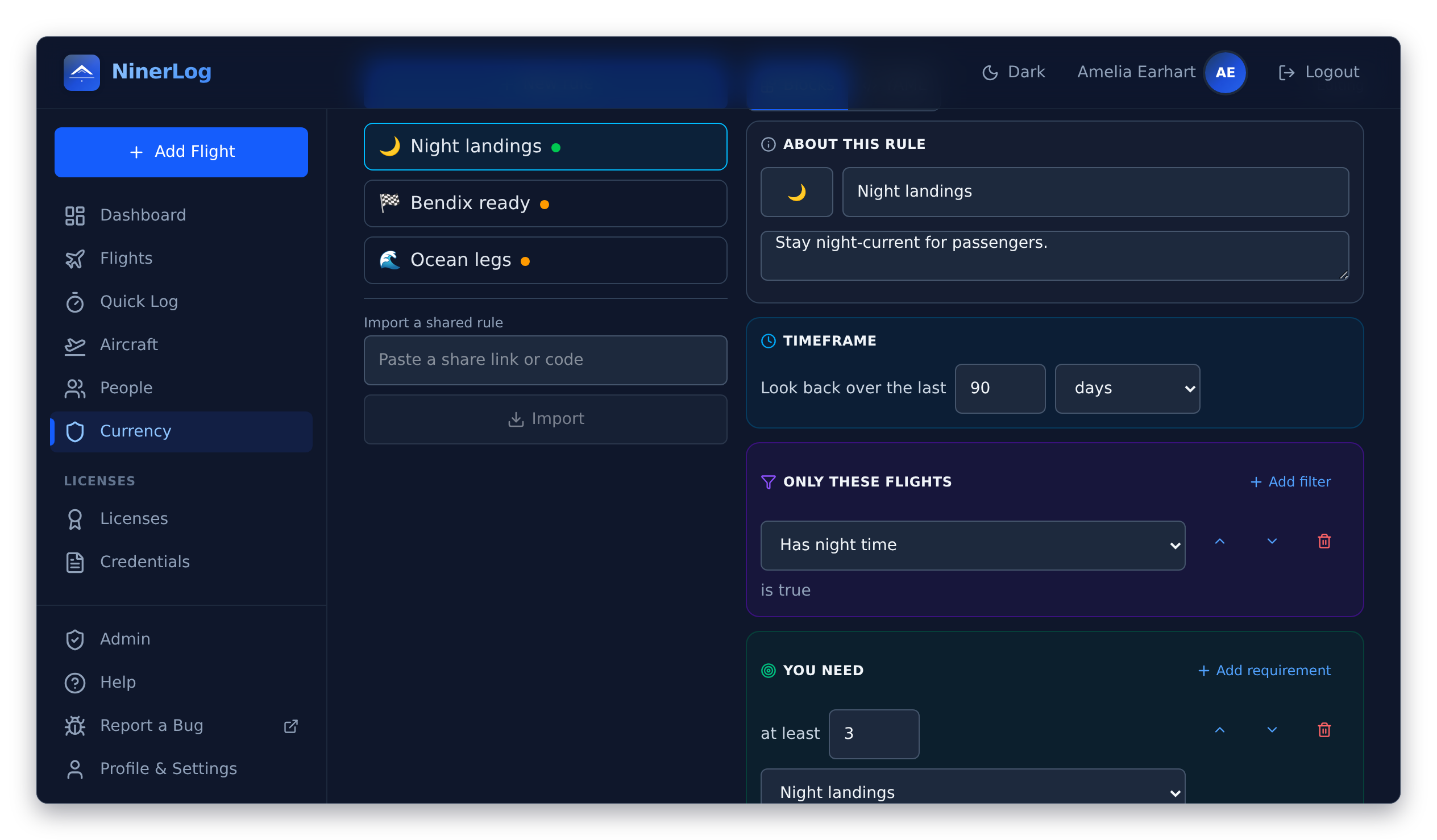
The same rule in the block editor: a 90-day window, one filter, one requirement. Nothing to install, nothing to script.
Licences, medicals, and everything else with a date on it
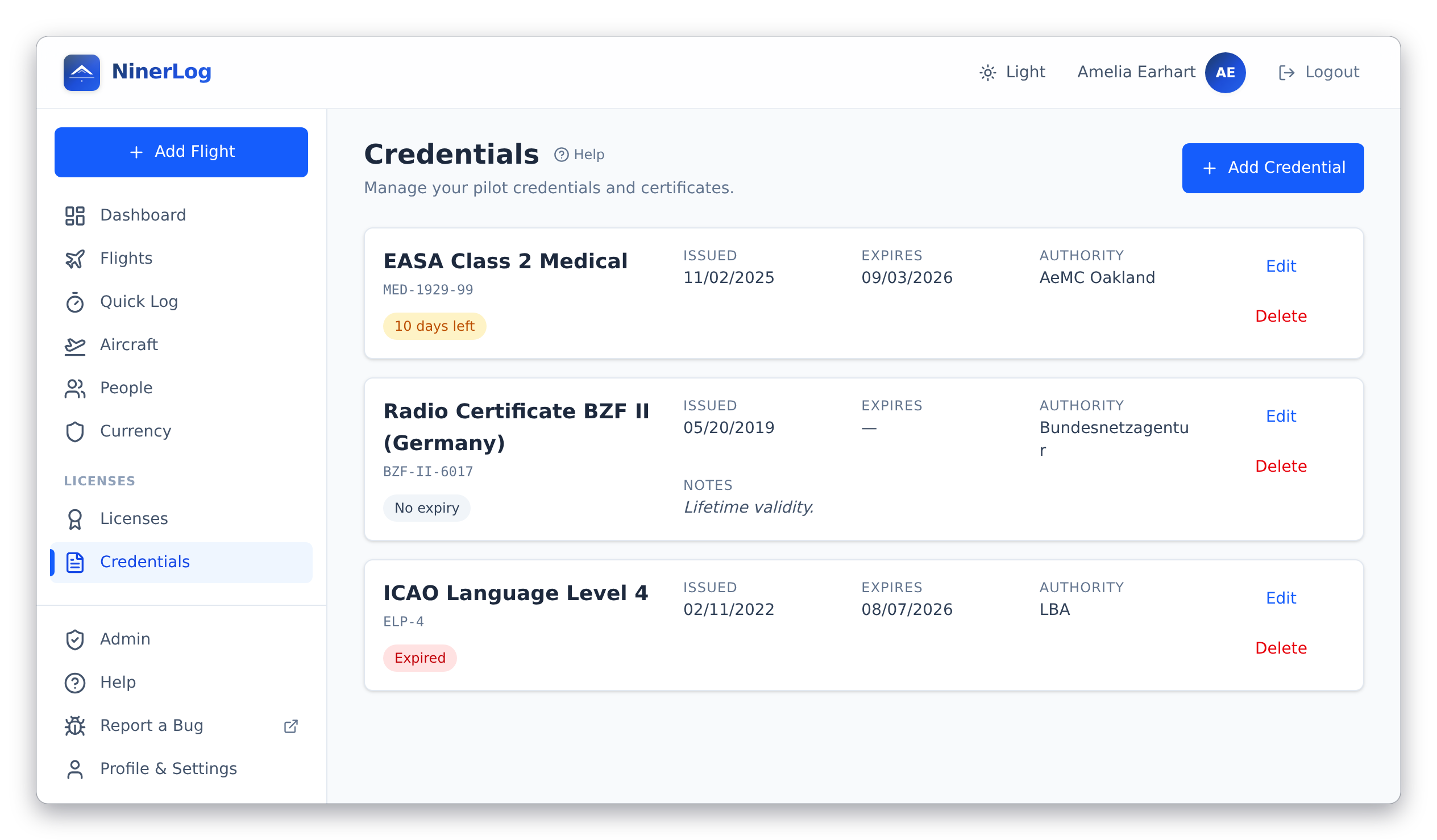
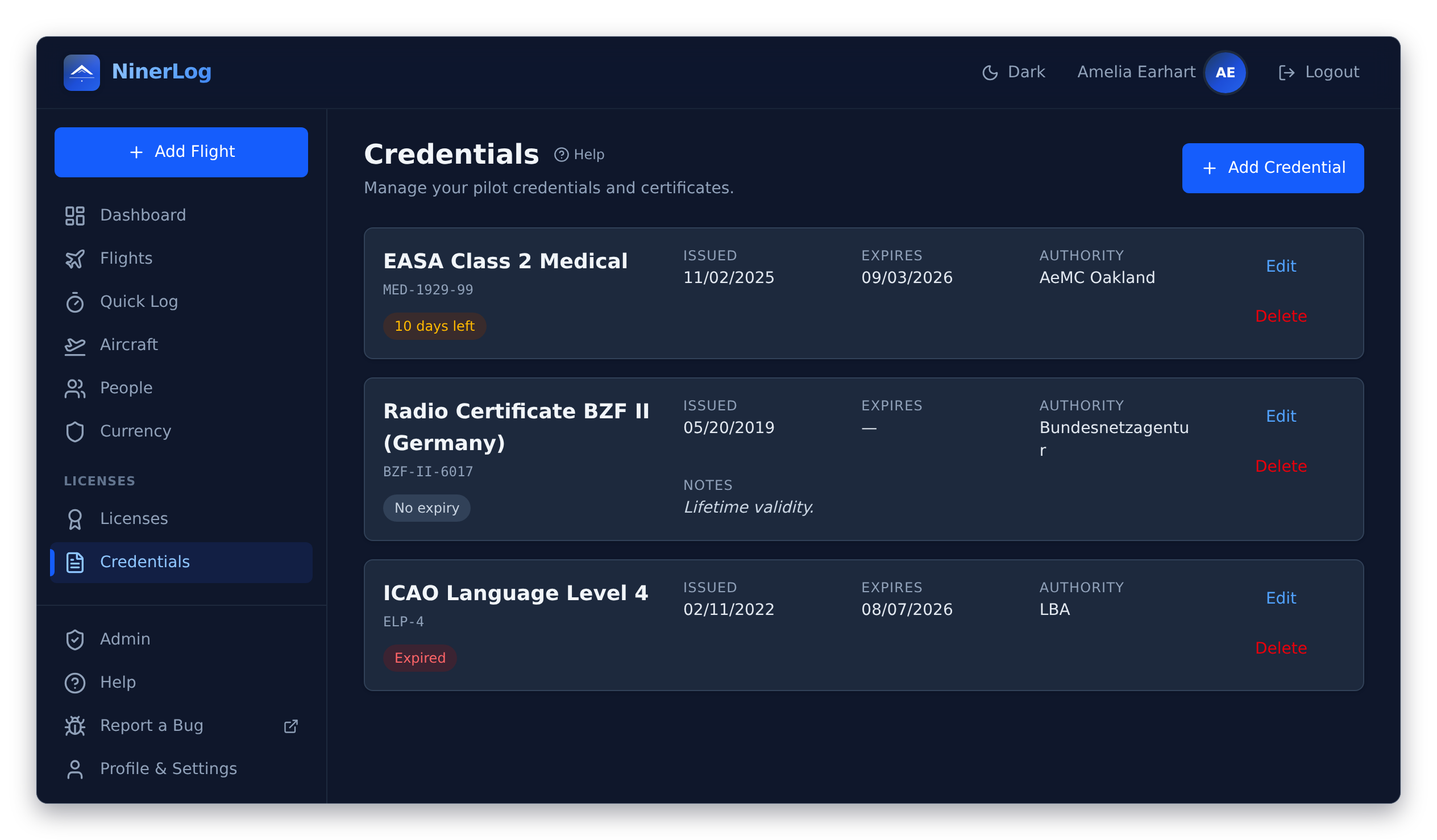
Licences from more than one authority — an EASA licence and an FAA certificate, say? Flights count toward every licence and class rating they apply to, with no per-licence assignment to remember. And the wallet full of certificates that expires around them lives in the same place.
Any authority, side by side
EASA, FAA, UK CAA, or whoever issued yours. Add the licence, add its class ratings with issue and expiry dates, and every flight lands where it belongs.
Class ratings that expire
SEP, MEP, SET, TMG and IR, each with its own validity, revalidation status, and the date it runs out.
Medicals and certificates New
EASA Class 1, 2 and LAPL; FAA First, Second and Third Class; ICAO language proficiency levels 4 to 6; security clearances; BZF I/II and AZF radio certificates.
A photo of the actual document New
Attach scans or photos of a licence or medical — JPEG, PNG or PDF — and they show as a strip on the card. Useful the day a ramp check asks for one.
Reminders you control
Pick which categories email you, how many days ahead they warn, and the hour of day they arrive. Or switch email off entirely and keep the on-screen warnings.
People and crew New
Instructors, safety pilots and the friends in the back, kept as contacts, deduplicated by name and linked to their flights — and exportable as vCards to your phone’s address book.
Your whole flying career, read back to you
Not a totals box — a report. Pick a timeframe from twelve months to all time and read your logbook in seven chapters, each answering a different question about how you fly.
- Overview. Career hours as a rising curve, hours per month, flights, landings, airports, countries, days since your last flight
- Experience. How the time splits across PIC, dual, solo, night, IFR and cross-country, year by year — and by instructor and crew member
- Aircraft. Hours by type, by registration, by class and by category
- Places. Most-visited airports, countries covered, most-flown routes, plus route maps and an airport heatmap
- Instrument. IFR time, approaches broken out by type, night flying
- Patterns. Which days you fly, what time you go off blocks, how the year shapes your flying, how long your flights run
- Records. Longest flight, longest distance, farthest airport, busiest day and month, and your current and longest monthly streak
Coming from paper? Record an initial-hours snapshot and your old book’s closing totals open the balance here — carried into every running total and into the PDF logbook, the way a paper logbook carries a previous volume forward.
Every aircraft, and what you have done in it
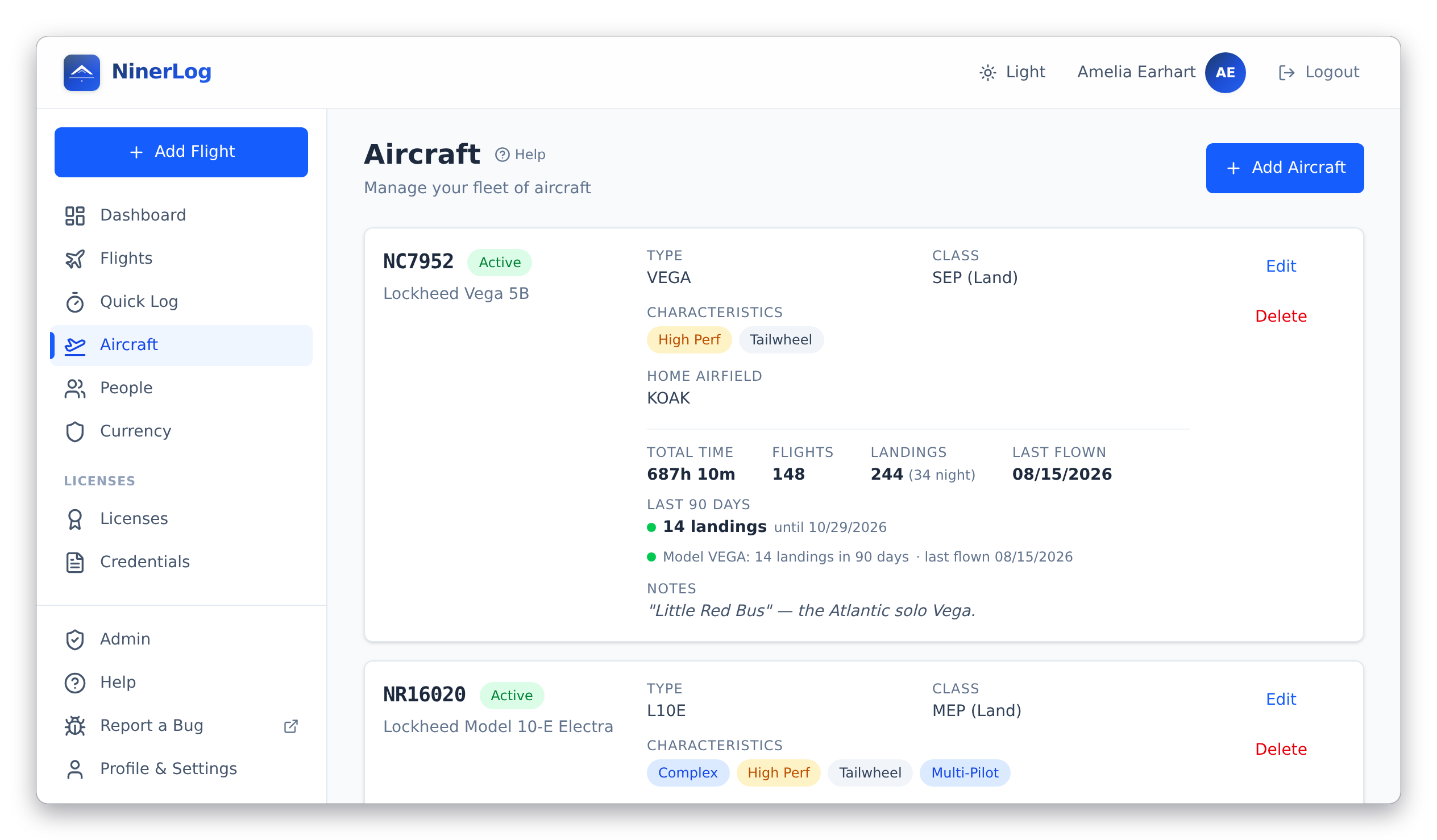
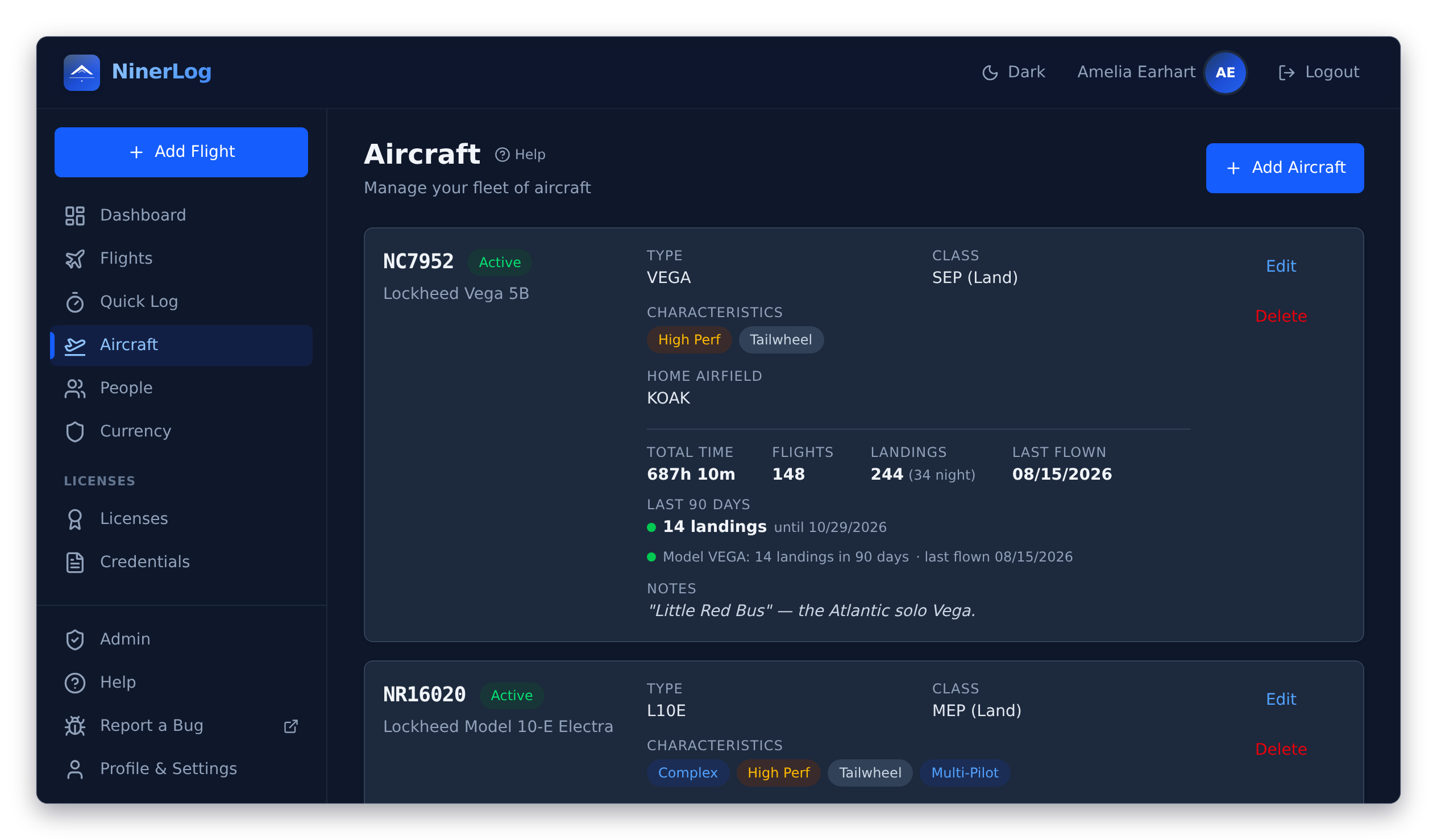
You enter a registration and type once. After that the aircraft carries its own history, its own defaults, and its own recency.
Hours per tail number New
Total time, flights, landings day and night, and when you last flew it — on the card, without opening a report.
Recency at a glance New
Landings in the last 90 days for the model and for the individual aircraft, with the date that recency lapses.
Logging defaults New
Set a default departure and arrival per aircraft. Pick it in the flight form and your home field is already there.
Class drives currency
SEP Land, MEP Sea, SET, TMG — or a custom class of your own. It decides which class ratings a flight counts toward.
Complex, high-performance, tailwheel
Flagged per aircraft, and usable as a filter when you write your own currency rules.
Re-registered aircraft New
Change a registration and choose to carry the logged flights across with it — signed flights stay untouched.
Signed by your instructor, locked after
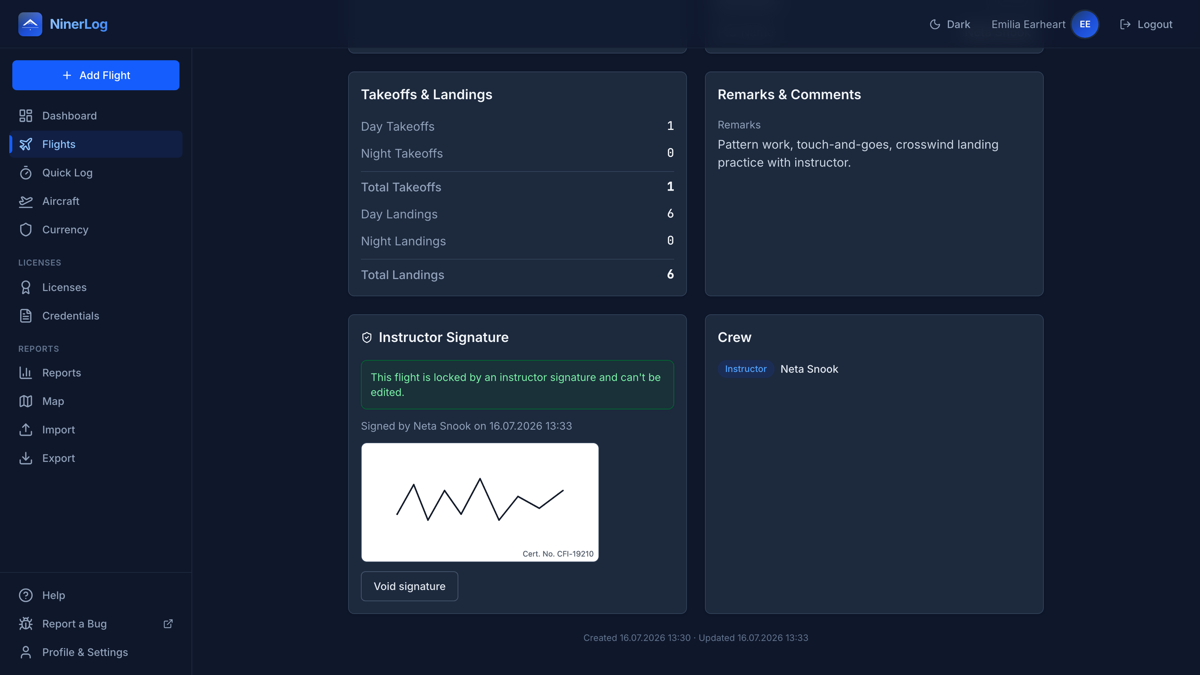
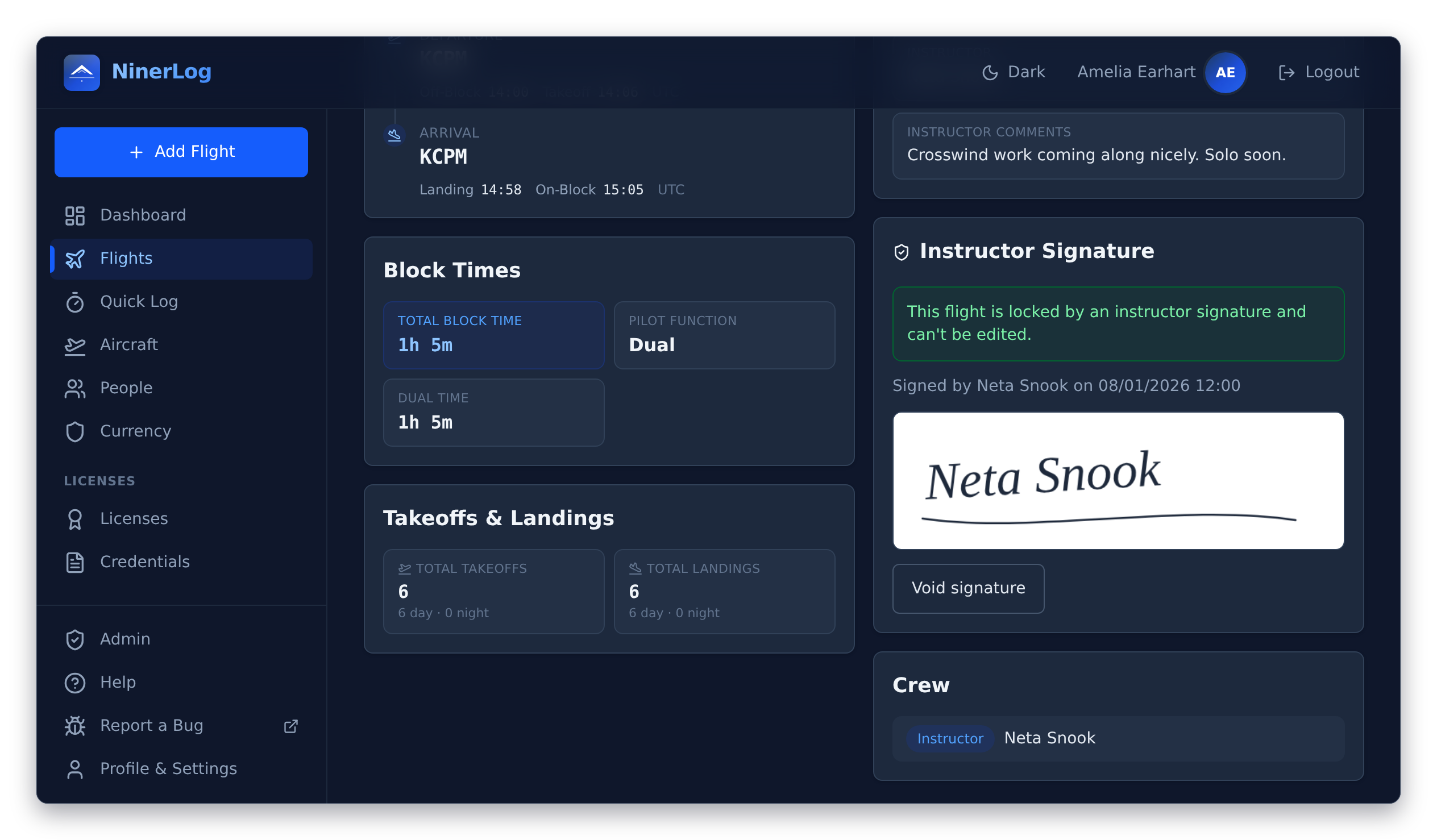
Training flights need a signature, and going digital should not make that harder than paper. Your instructor signs on your phone after the debrief, or later from their own device through a secure link.
- Sign on the spot. Hand over your phone — the instructor draws their signature and adds their name and certificate number
- Or request it remotely. Email a secure signing link, or share a link or QR code — they sign from any device, no account needed
- Links expire on your terms. Valid from 24 hours to 30 days; resend or cancel a pending request any time
- Signed means locked. Name, certificate number and date appear on the flight, which can no longer be edited
- Void with an audit trail. Need to fix a typo? Void the signature with a documented reason — the flight unlocks and a fresh signature is required
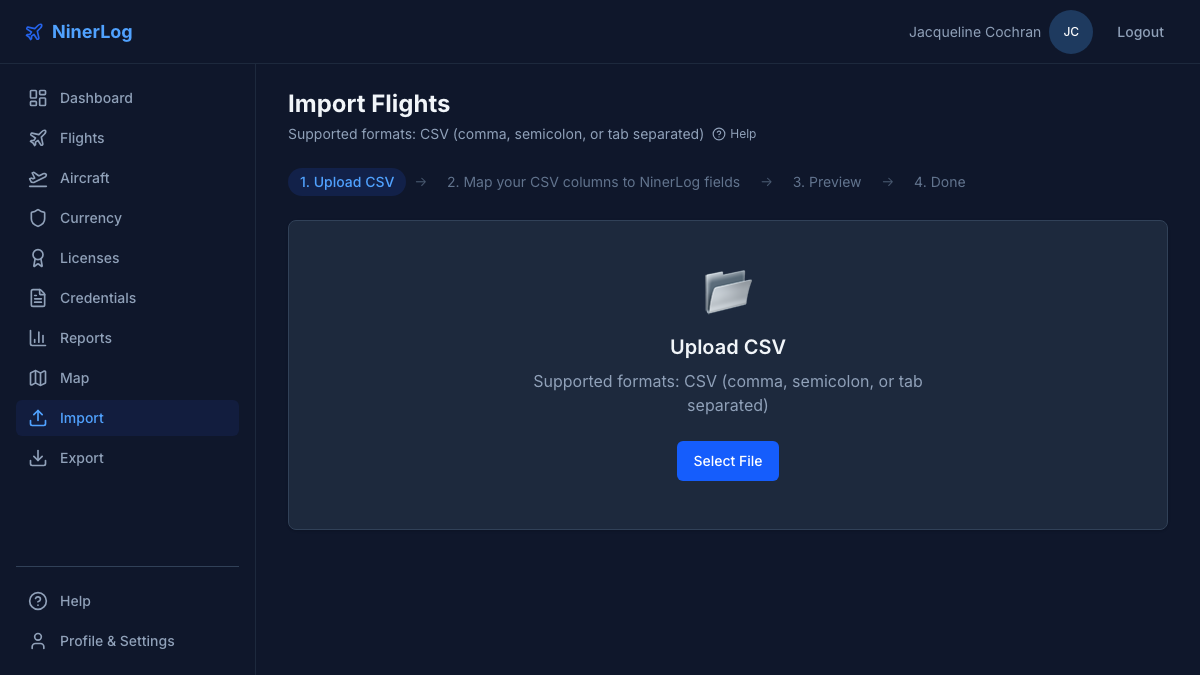
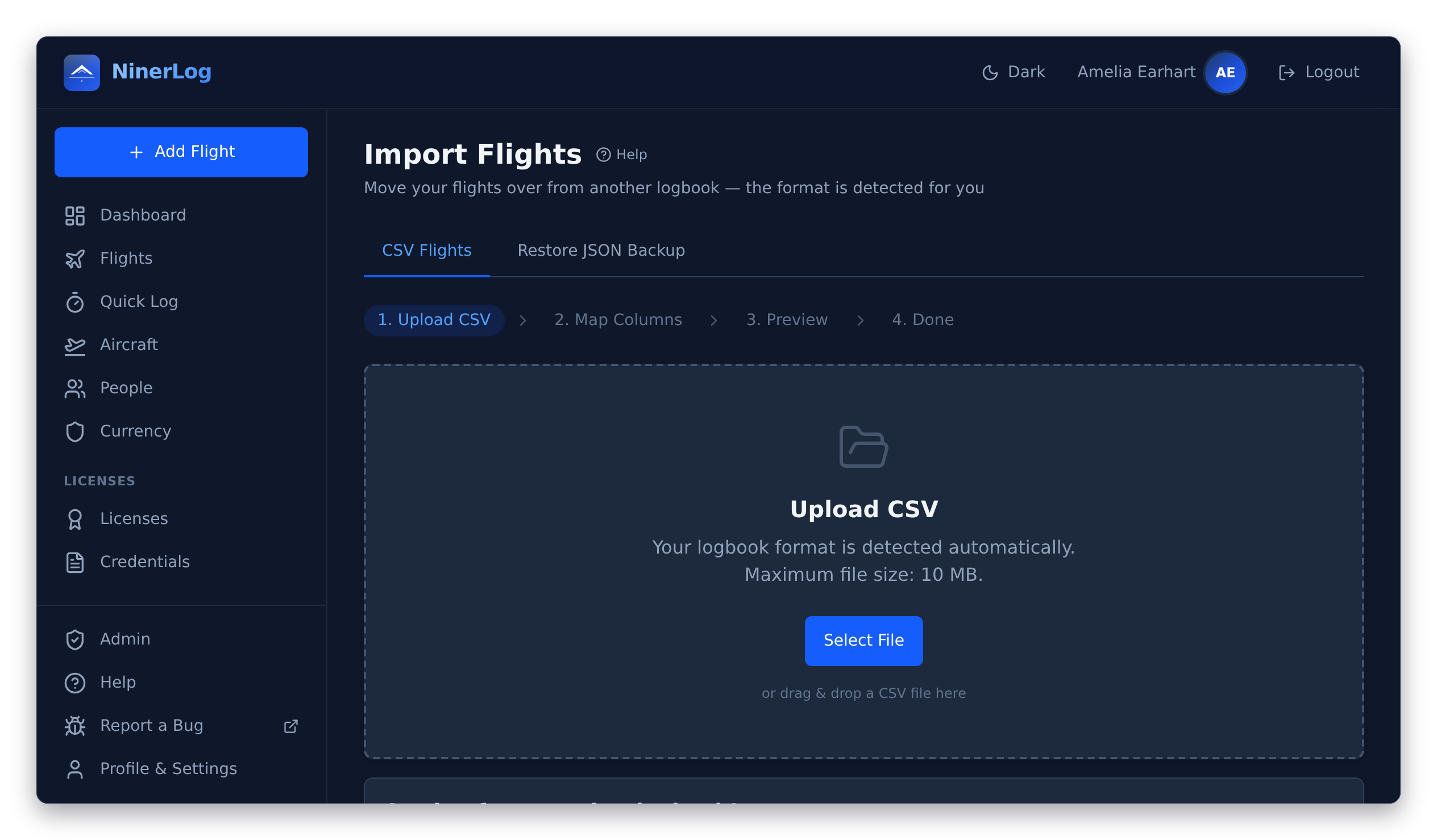
It recognises your old logbook
Drop your export in and NinerLog reads the header row to work out which application wrote it. No picking a template, no mapping forty columns by hand — and before you even upload, the catalogue tells you whether your logbook is covered and how to get the file out of it.
- Drag and drop. CSV separated by commas, semicolons or tabs, and XLS — the parser works it out New
- Review before it lands. Preview the mapped rows, adjust any column, and get warned about likely duplicates
- Your fleet builds itself. Aircraft named in the imported rows are created for you, with registrations normalised to a consistent form New
- ICAO codes dug out of free text. A location column reading “Egelsbach (EDFE)” still resolves to the airport New
- Restore a full backup. A NinerLog JSON backup brings flights, aircraft, licences, ratings, credentials and crew back — additively, never overwriting what is there
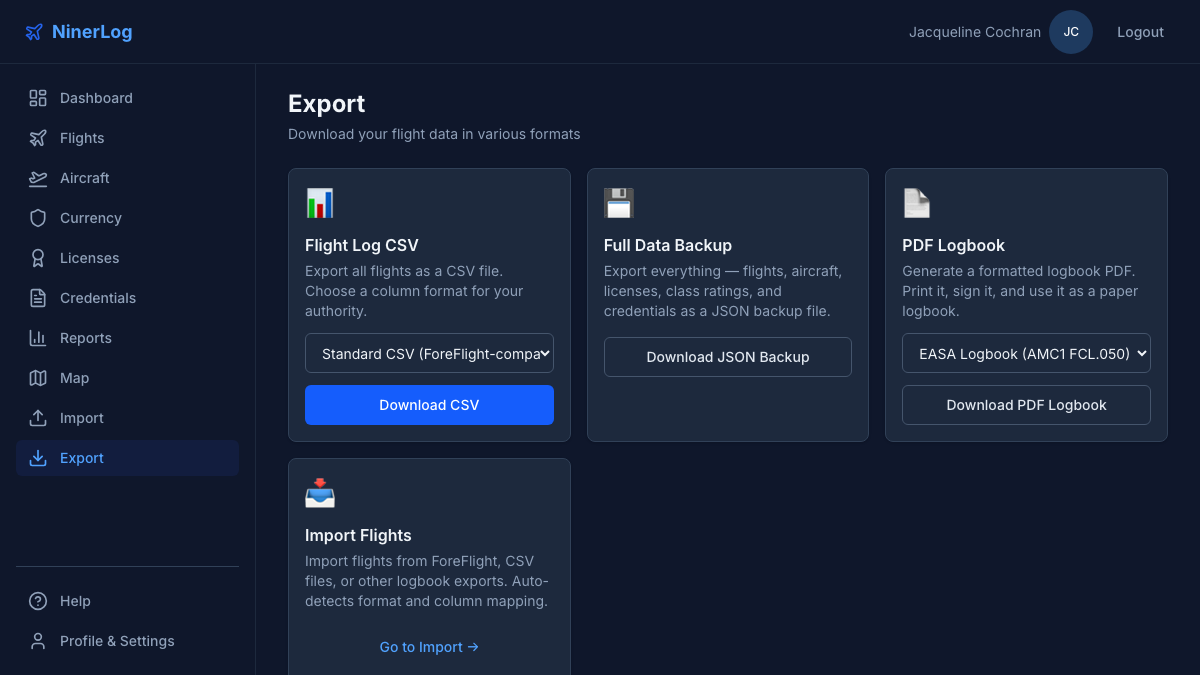
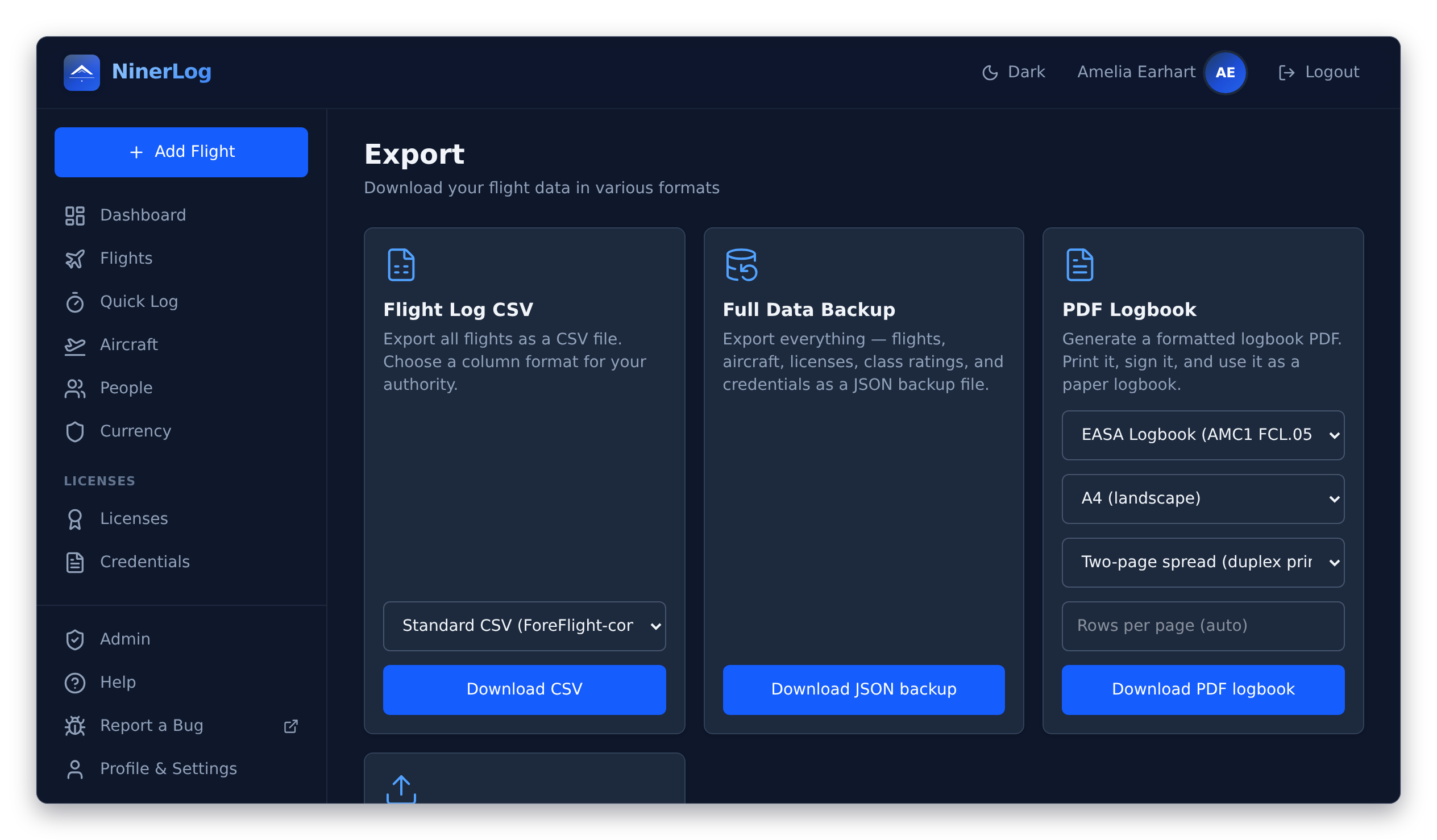
A PDF logbook an examiner would accept
Most apps hand you a spreadsheet dressed up as a logbook. NinerLog renders the real thing: EASA AMC1 FCL.050 columns or the FAA §61.51 layout, with the three-row totals block and a certification and signature line on every single page, so each page can be signed on its own.
- Book-style spreads. Left and right facing pages for double-sided printing, with filler pages placed so every spread lands correctly duplex — or one landscape page per batch if you prefer New
- A4, A5 or US Letter. Choose rows per page from 5 to 60 and the row height and font scale to fill it — airy large print, or dense New
- Prior experience carried forward. Your initial-hours snapshot opens the balance and flows through every running total, with a footnote disclosing exactly what it does and does not cover New
- CSV in three flavours. ForeFlight-compatible, EASA columns, or FAA columns
- Full JSON backup. Everything — flights, aircraft, licences, ratings, credentials, crew — in one file you can read without us
- No lock-in, no paywall, no export limits. Take it and go whenever you like; we would rather you could
A copy in storage that belongs to you
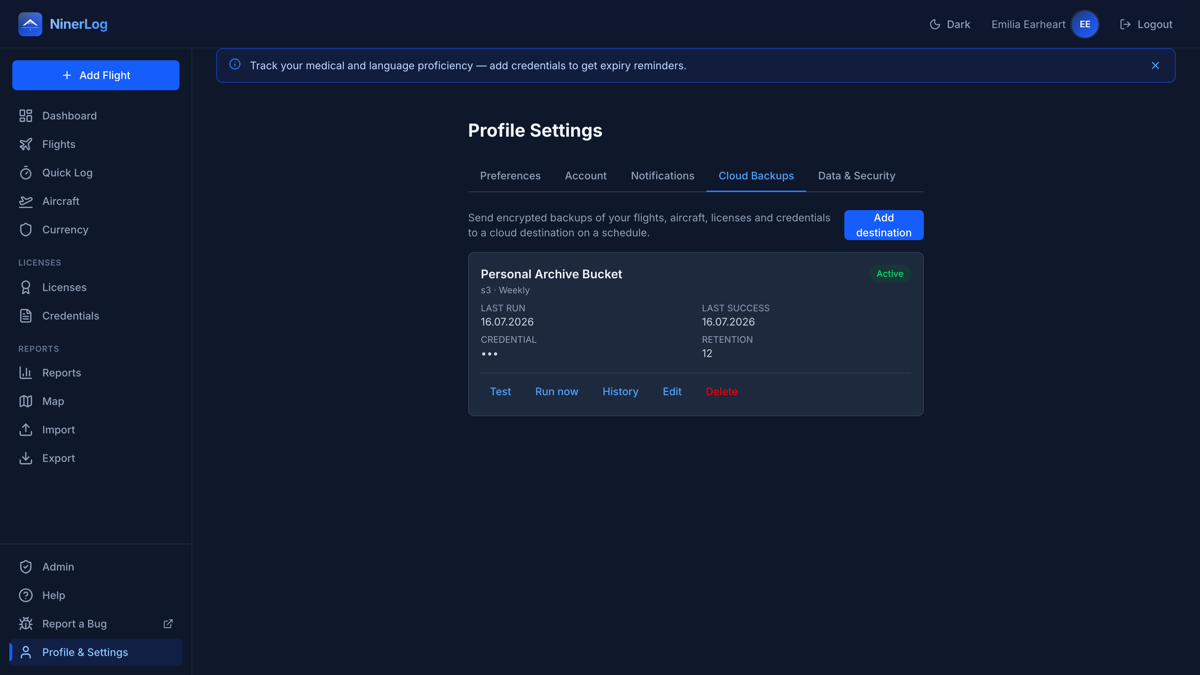
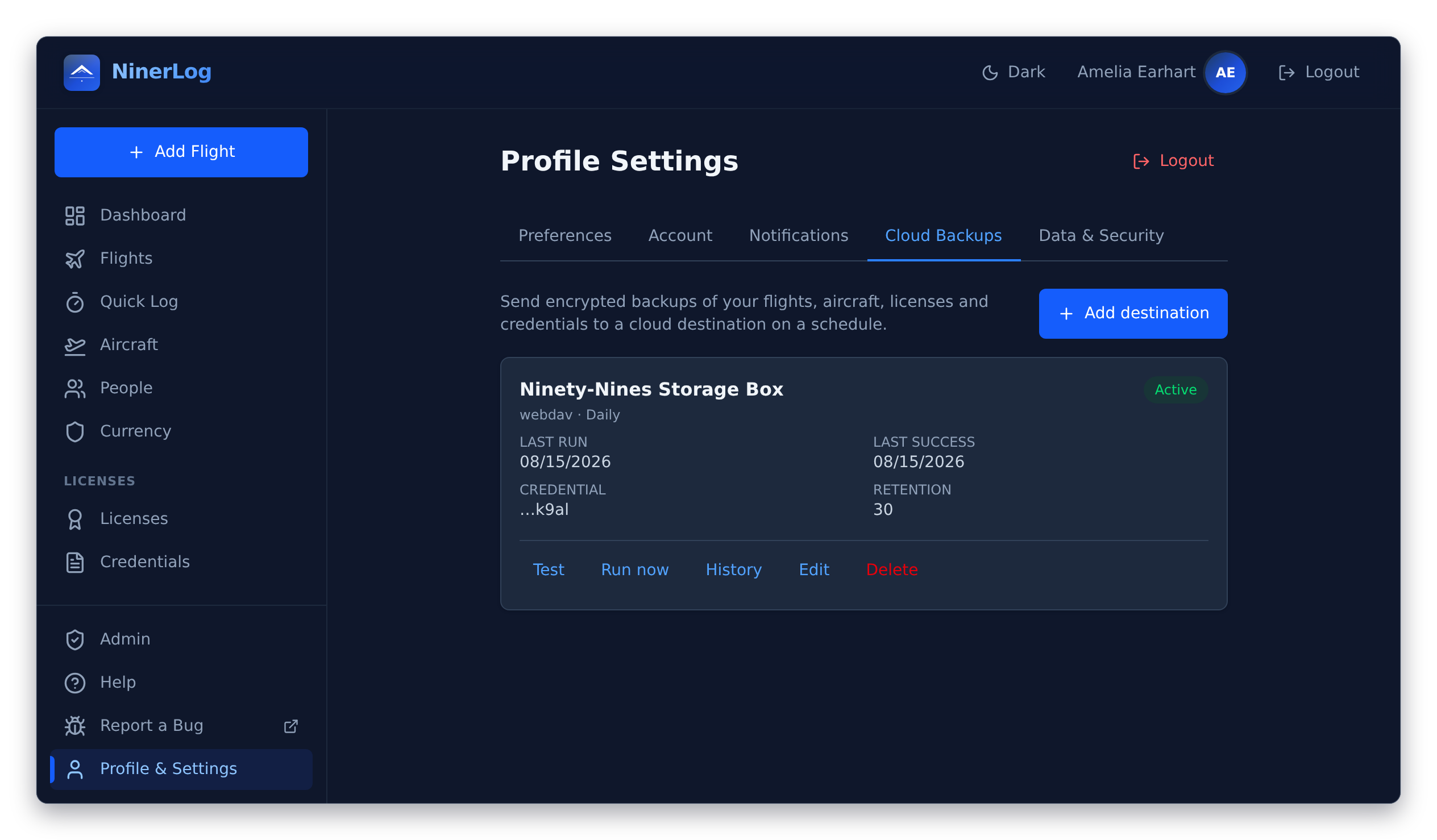
Not a NinerLog vault — your storage. Point NinerLog at a bucket, a server or a share you already own, and a copy of your logbook lands there on a schedule you set. We hold no copy of it, and you can read those files with or without us.
- Three kinds of destination. Any S3-compatible bucket, any SFTP server, or any WebDAV share — Nextcloud and friends included New
- On your cadence. Daily, weekly or monthly at an hour you choose, or on demand; keep the last N backups and let older ones roll off
- Test before you trust it. A connection test on the destination, then a run history showing exactly when each backup succeeded or failed
- Open formats. The same CSV and JSON your export produces — openable in a spreadsheet, restorable into NinerLog
- Credentials handled properly. Encrypted at rest with AES-256-GCM and never returned by the API, not even to you — only a hint like the last four characters
- Opt-in and reversible. Off by default. Switch it on when you want it, disconnect whenever you like
Entirely optional — the rest of NinerLog works the same with it switched off. See our privacy policy for how connection details are handled.
Your logbook is a legal record. We treat it as one
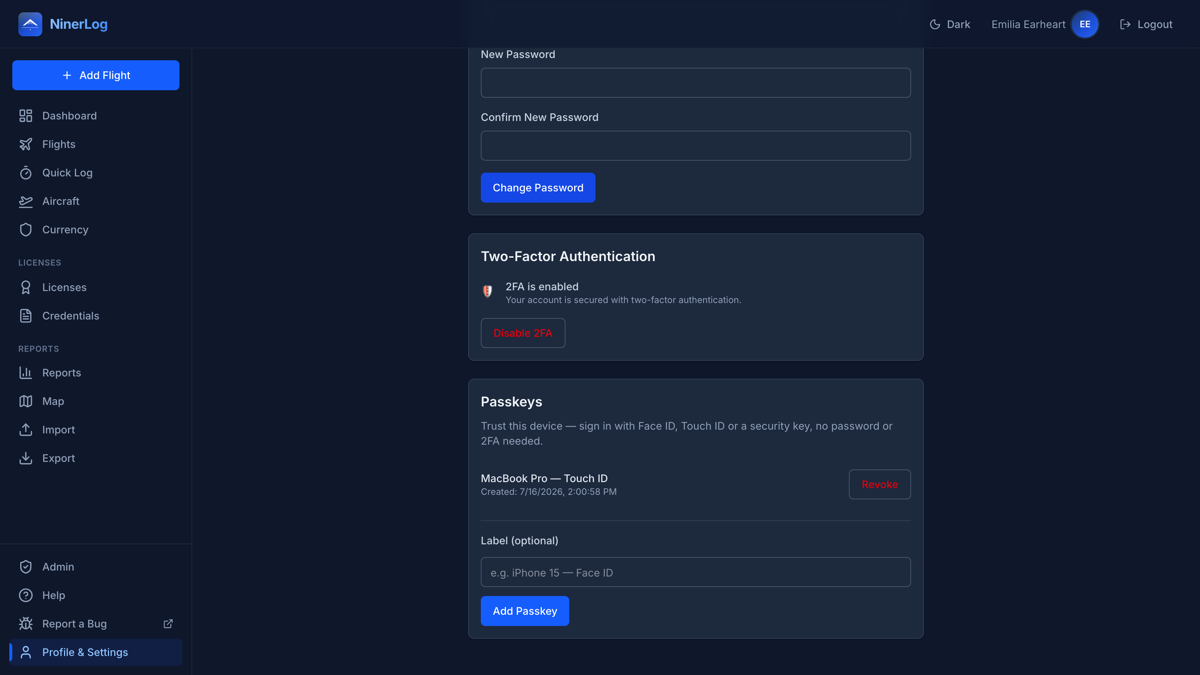
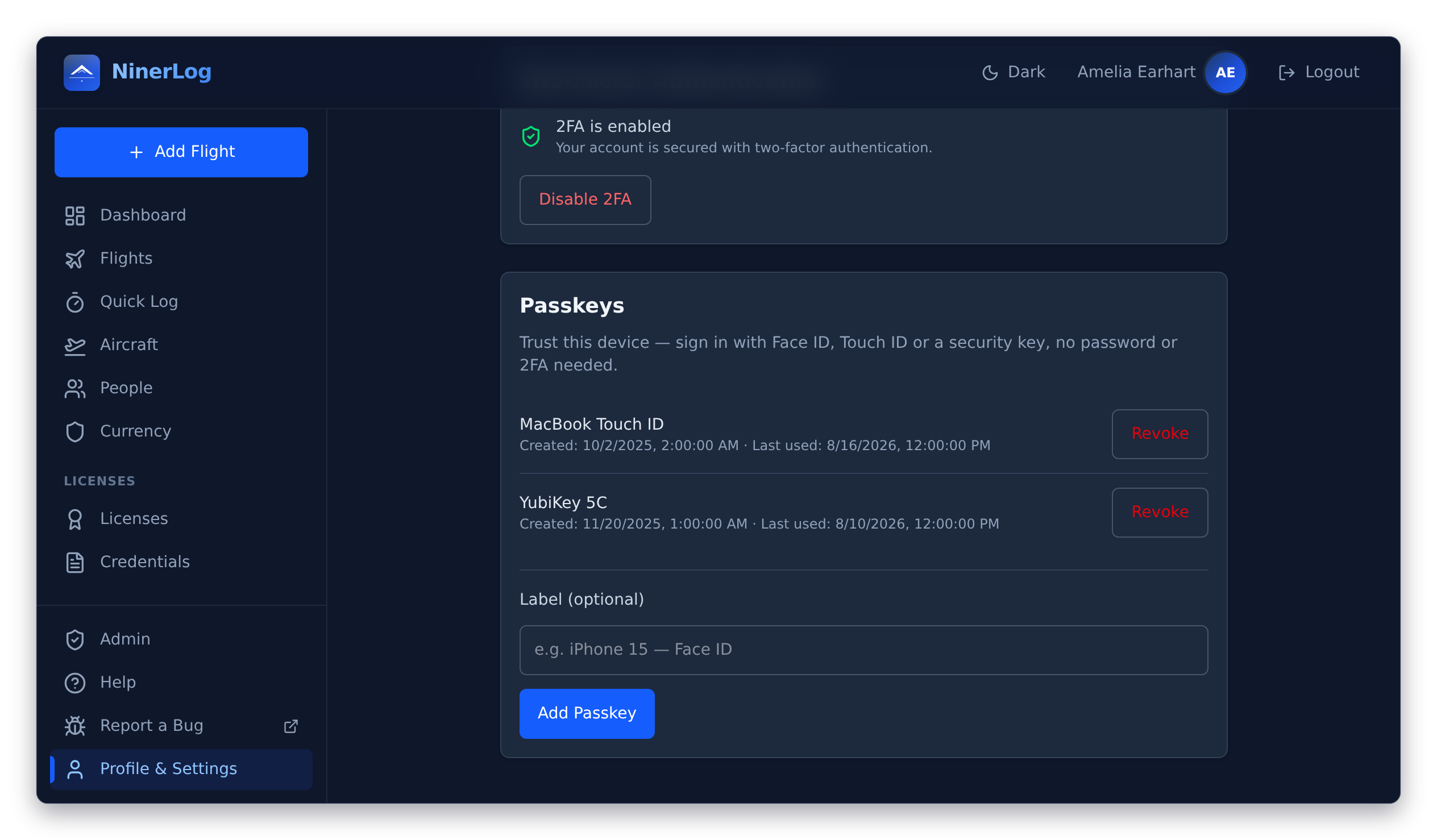
Years of flying history deserve better than a password alone. Sign in with a passkey, add two-factor authentication, and see every device that currently holds a session.
- Passkey sign-in. Face ID, Touch ID, Windows Hello or a hardware security key — no password to phish, none to forget
- Two-factor authentication. Any standard TOTP app: Aegis, 1Password, Google Authenticator, whichever you already use
- Recovery codes. One-time backup codes to print or stash, so you are never locked out of your own logbook
- Every signed-in device, listed. See your active sessions, most recent first, and end any one of them from anywhere New
- Single sign-on, for those who want it. A self-hosted instance can hand authentication to an OIDC provider — Keycloak, Authentik, your company directory. Off by default New
- Audited in the open. Every security fix is a public commit in a public repository — you can read what was wrong and how it was fixed
Run it for your whole club
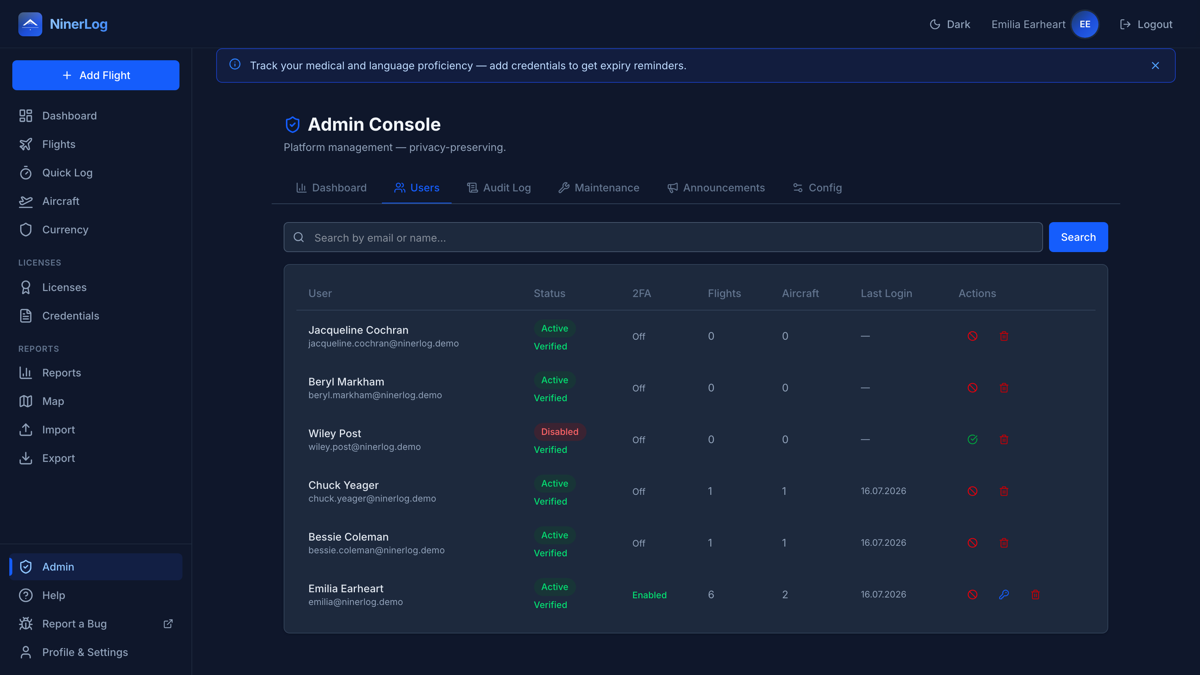
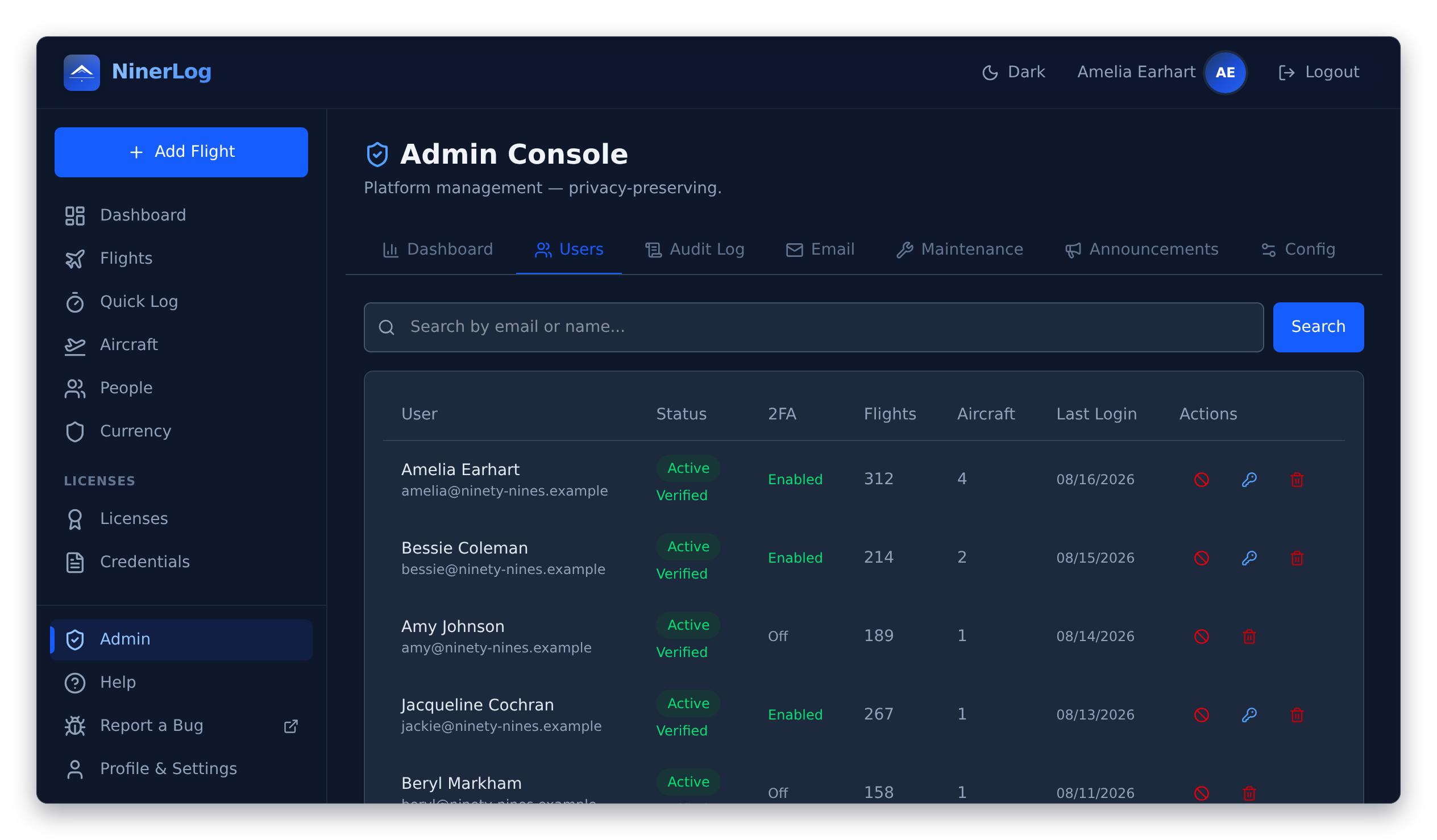
Self-host NinerLog and you get a logbook platform, not just a logbook. One instance, every pilot’s own private logbook, and an admin console that means you never touch the database.
- Seven admin tabs, no SQL. Dashboard, users, audit log, email, maintenance, announcements and configuration
- Members, managed. Invite, enable, disable, unlock, reset a member’s 2FA, or remove an account — each pilot’s logbook stays private to them
- Announcements. Push club notices, maintenance windows or safety updates straight to your members’ dashboards
- Email you can see. Delivery status per message, a suppression list for bouncing addresses, and an SMTP test button New
- An audit log that resists tampering. Every administrative action recorded, chained so entries cannot be quietly rewritten New
- Tells you when to update. The console compares your running API and frontend against the latest published release — or stays silent if you switch the check off New
- Your server, your rules. One Docker Compose file; your members’ data never leaves the box you control
See the self-hosting guide for the one-command setup.
On whatever you have in your hand
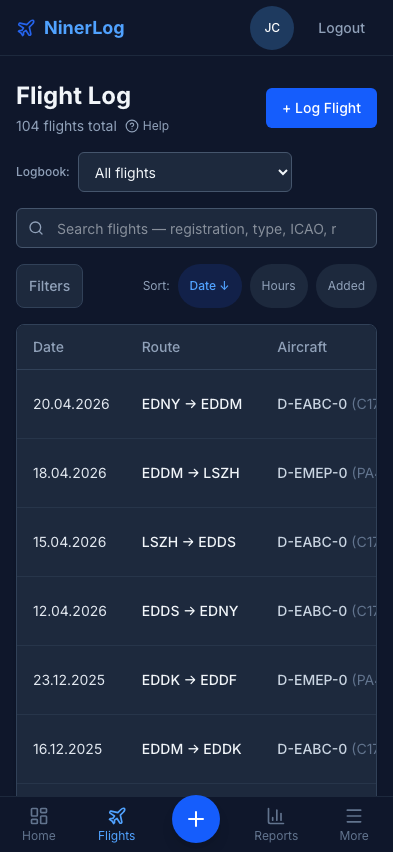
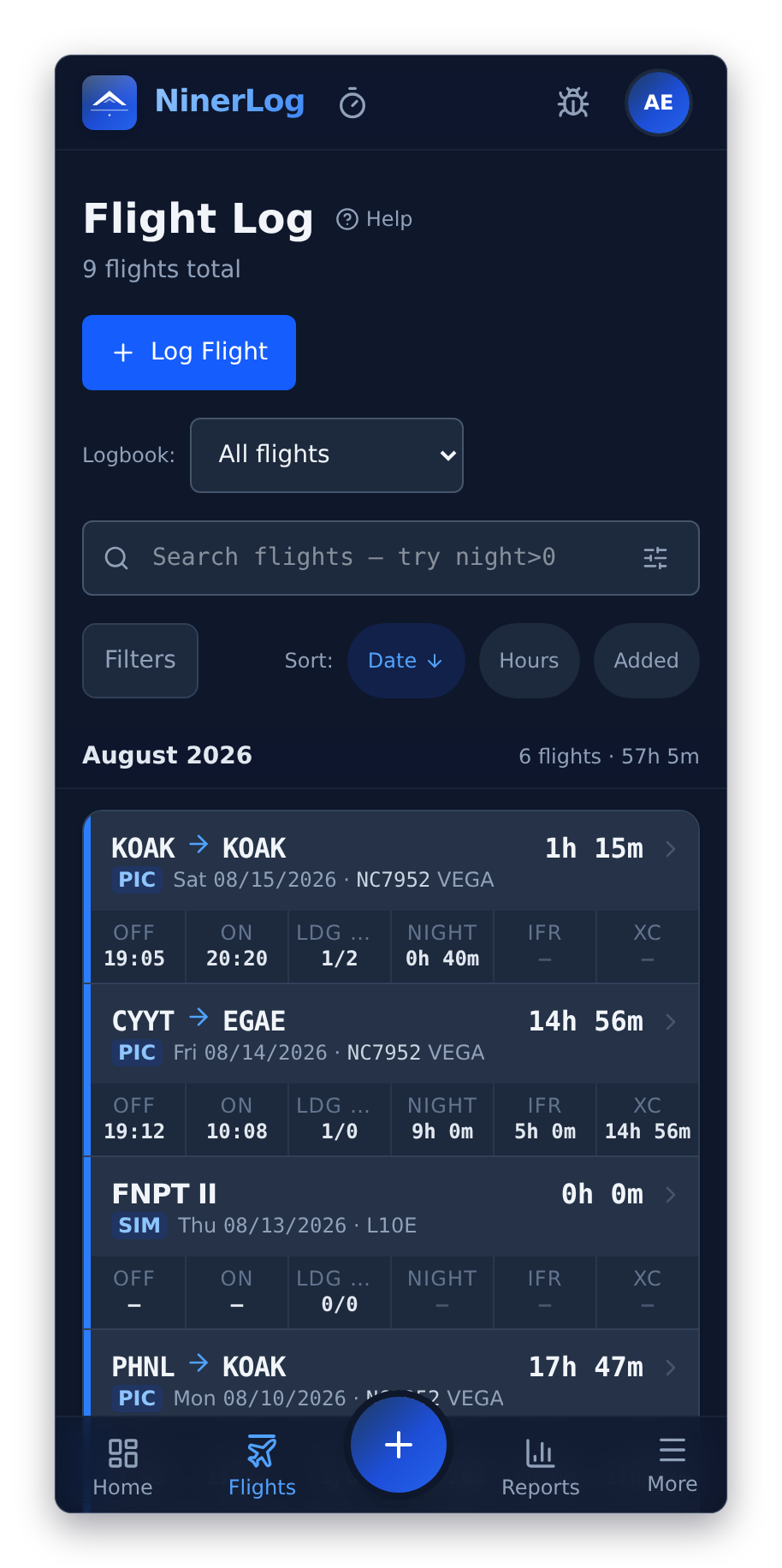
NinerLog is a progressive web app: it runs in any browser, installs to your home screen when you want it there, and keeps working when the airfield has no signal.
Built for the phone, not shrunk to it New
The flight list is a card list on a phone and a full logbook table on a desktop, with a thumb-reach menu and a one-tap button to log a flight.
Offline where it counts
Quick Log queues your taps on the device and flushes them the moment you are back online — or the next time you open the app.
English and German
The whole app, not just the menus. More languages welcome — translations are a pull request away.
A guided tour on day one New
A short welcome tour shows you where everything lives, replayable any time you want it again.
Help that lives inside the app New
Thirteen illustrated topics covering every feature, from your first flight to the admin console — with annotated screenshots, in both languages.
Hours your way
Read durations as 1h 30m or as 1.5h. Pick once; it applies everywhere.
An API other apps can build on New
A documented OpenAPI spec with delta sync, deletion tombstones and idempotent writes — the groundwork for native clients and anything you want to build yourself.
Airports for offline use New
The merged airport database — over 29,000 fields, refreshed daily — downloads as one compressed pack so a client can resolve codes with no connection at all.
The full picture.
Every feature at a glance — all of it open source, all of it free to use.
Logging
- Quick Log (live block times)
- Block, flight and split times
- Day & night landings and takeoffs
- IFR time, approaches and holds
- FSTD sessions kept separate
- Passenger legs
- Off-airport locations
- Route waypoints
Auto-calculated
- Night time from real sunset
- Day/night landing split
- Cross-country time
- Distance in NM
- PIC, solo, SIC, dual given
- Multi-pilot time
Search
- One-box full-text search
- Date, aircraft, airport, function filters
- Filters that persist
- Choose your columns
- Adaptive column widths
- Airport names resolved
Currency
- EASA FCL.740 revalidation
- FAA 61.57 recency
- Instrument currency & IPC
- Flight review (61.56)
- 90-day recency by model & tail
- Custom currency rules
- Rule sharing by link
- Per-rule email reminders
Licences
- Any authority worldwide
- Class ratings (SEP/MEP/SET/TMG/IR)
- No per-licence assignment
- Medicals & credentials
- AZF / BZF / ICAO language
- Document photos & PDFs
- Expiry notifications
Fleet
- Per-aircraft statistics
- 90-day recency per aircraft
- Logging defaults
- Complex / HP / tailwheel
- Registration normalisation
- Re-registration carry-over
Training
- Instructor signing
- In-person or remote signing
- QR code signing links
- Signature-locked entries
- Void with audit trail
- Endorsements field
Reports
- Career hours curve
- Role split by year
- By type, registration, class
- Airports, countries, routes
- Approach types
- Flying patterns
- Personal records & streaks
- Prior-experience snapshot
Maps
- Route maps
- Airport heatmap
- 29,000+ airport database
- Offline airport pack
Import
- 12 formats auto-detected
- ForeFlight, LogTen, SkyDemon…
- Drag & drop
- Preview & duplicate warnings
- Fleet created from rows
- JSON backup restore
Export
- Signable PDF logbook
- EASA & FAA layouts
- A4 / A5 / Letter, spread or single
- CSV in three column sets
- Full JSON backup
- vCard contacts
Backup
- S3-compatible buckets
- SFTP servers
- WebDAV shares
- Daily / weekly / monthly
- Retention & run history
- AES-256-GCM credentials
Security
- Passkey sign-in
- Two-factor auth (TOTP)
- Recovery codes
- Active session management
- OIDC single sign-on
- Password complexity policy
Club ops
- Admin console
- User management
- Announcements
- Tamper-resistant audit log
- Email delivery & suppressions
- Release update checker
Platform
- Progressive web app
- Works offline
- English & German
- In-app Help Base
- Guided welcome tour
- Light & dark themes
Open
- Self-hosting via Docker
- Documented OpenAPI spec
- Delta sync & tombstones
- AGPL-3.0 API, MIT frontend
- Public security fixes
- No paid tier
Made it this far?
Then you have seen the whole thing. It is open source, it is free to use, and there is no version of it you have to pay for later.
SQUAWK 7000 — VFR and free to fly.